Projects with a face
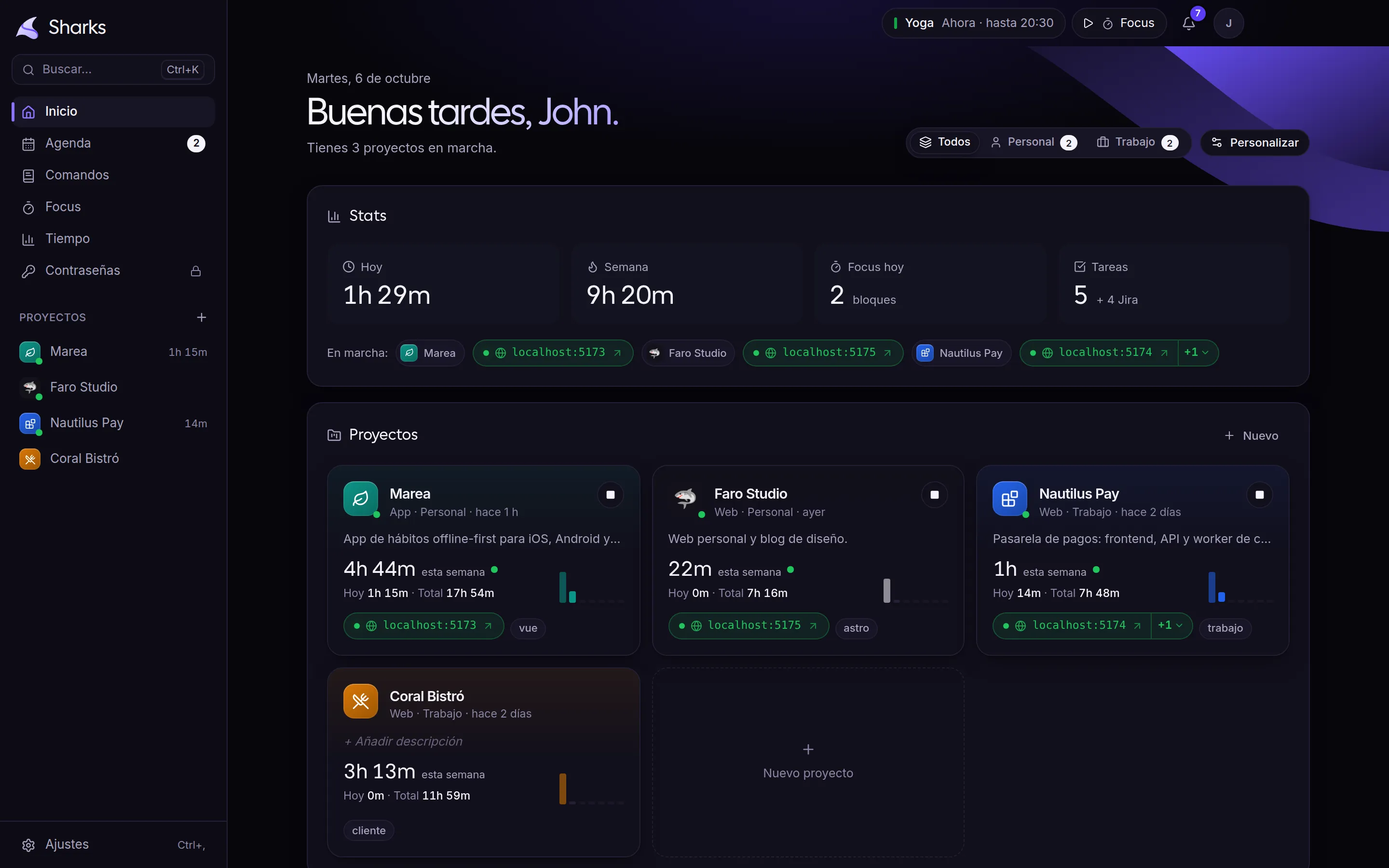
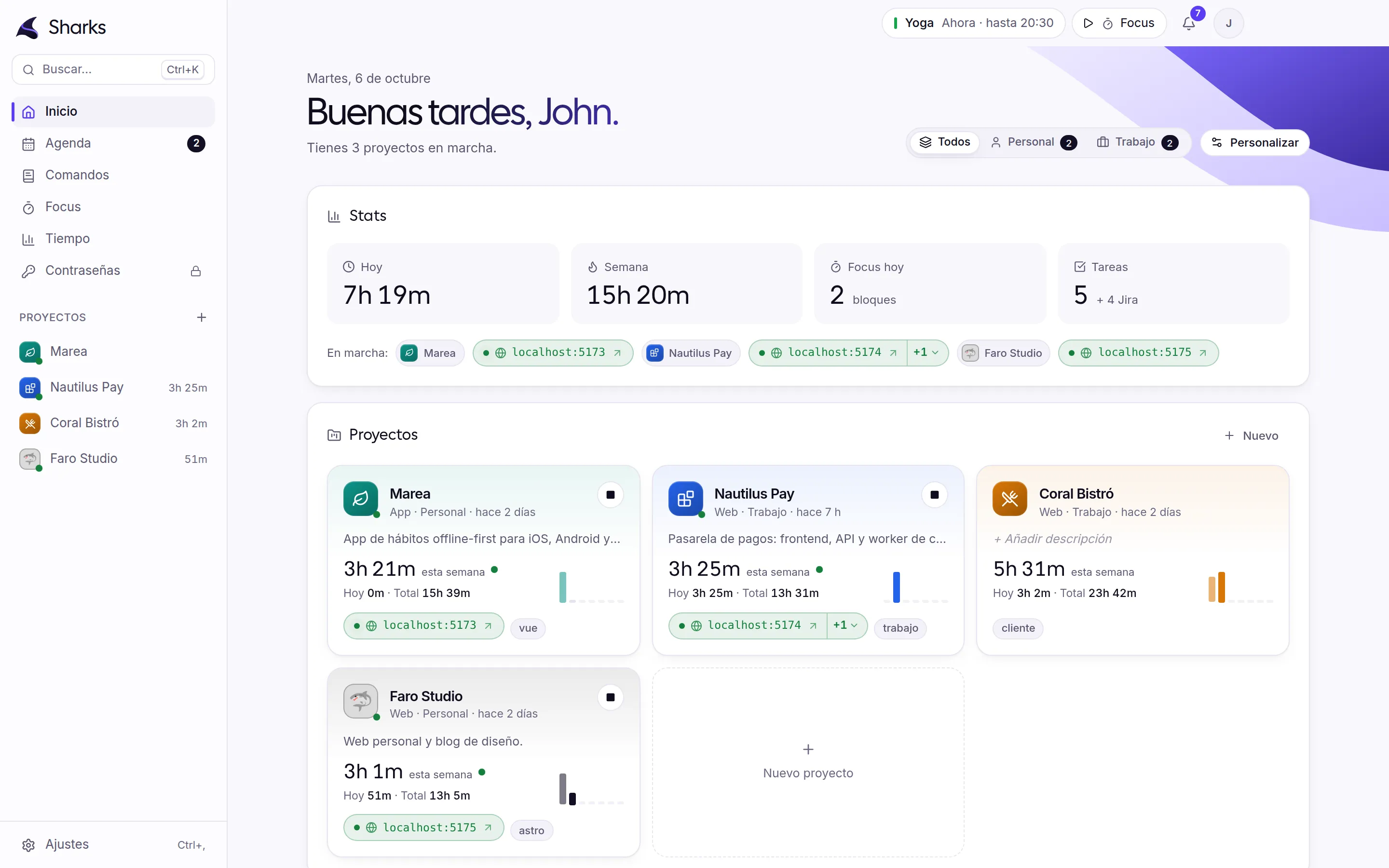
Cards with color, icon, description and this week’s hours. Add the folder and Sharks finds the commands that start it.
Your projects, your terminals, your hours and your focus swim in the same direction. One click and you keep swimming.
Starts the stack you already use
What Sharks is
Projects, terminals, time and focus, together and with nothing to configure.
Cards with color, icon, description and this week’s hours. Add the folder and Sharks finds the commands that start it.
Web, API, database or worker, each in its own named tab. The localhost links show up as soon as they are ready, together in one button.
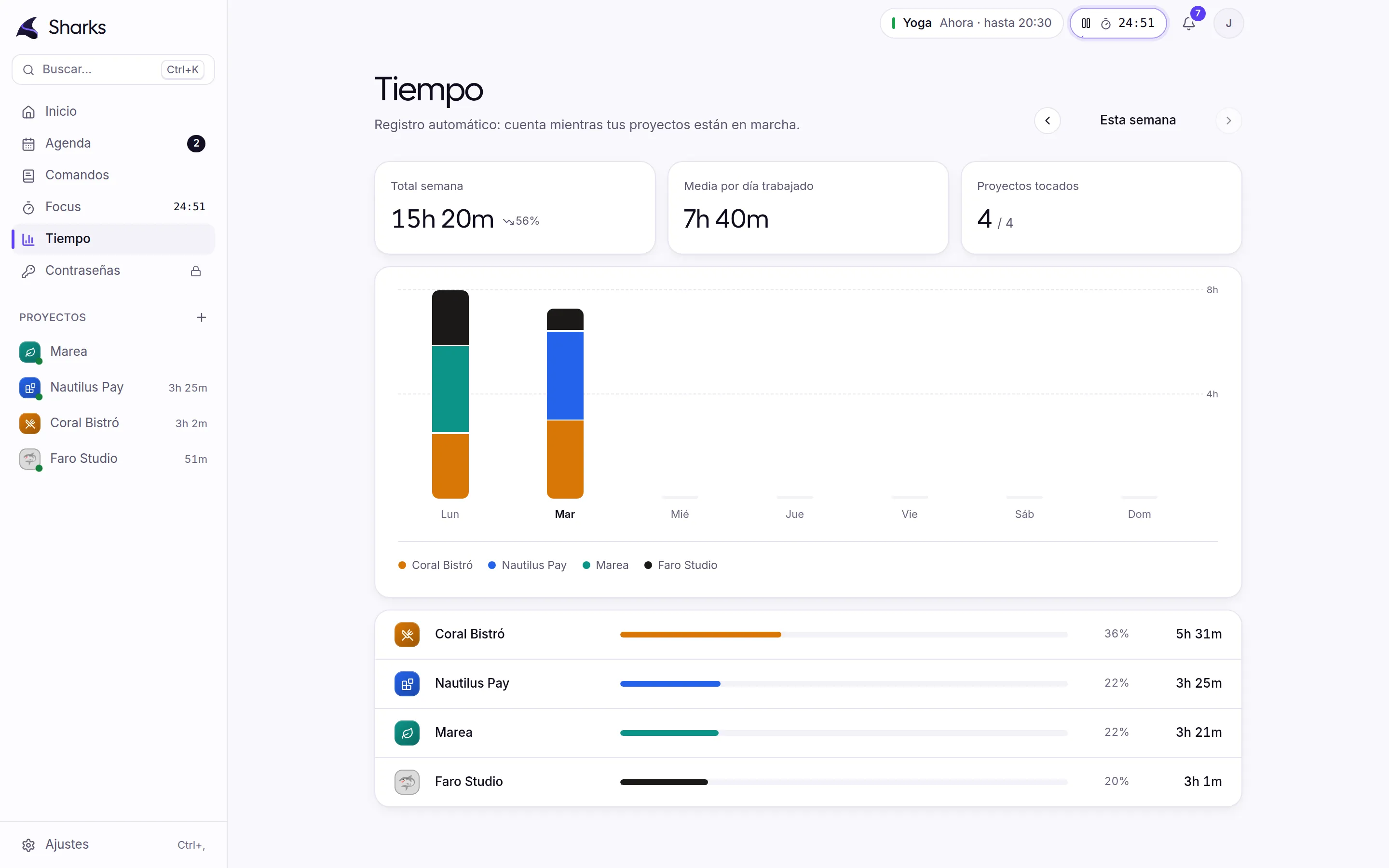
Counts while the project runs or you focus, and pauses when you step away. On Friday you know where the week went.
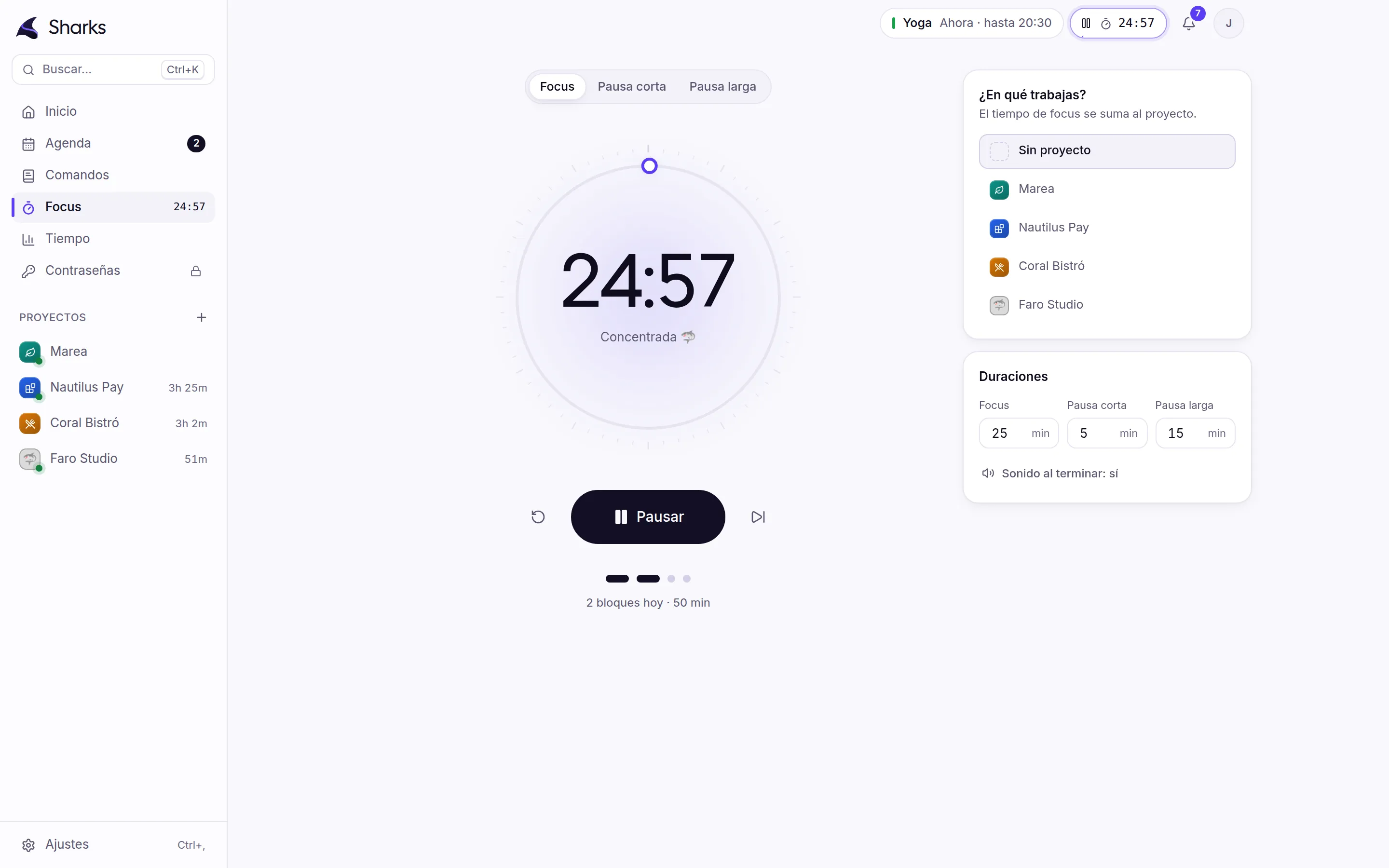
A pomodoro in the top bar. The time counts for the project you pick and it chimes when done.
Tour
Hours today and this week, running projects and blocks you pick and arrange.
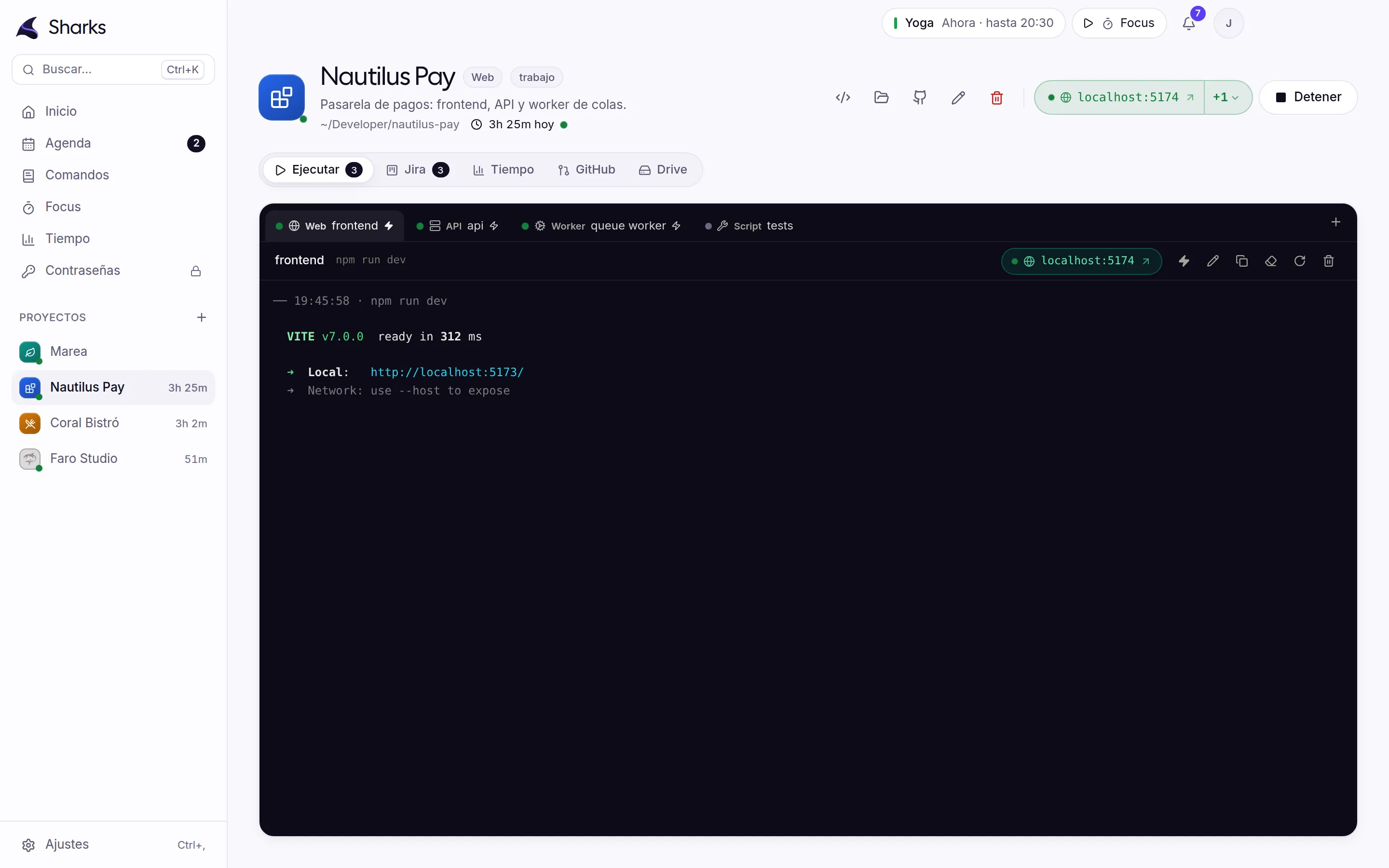
Front end, API and worker start together. Sharks detects every URL and keeps them one click away.
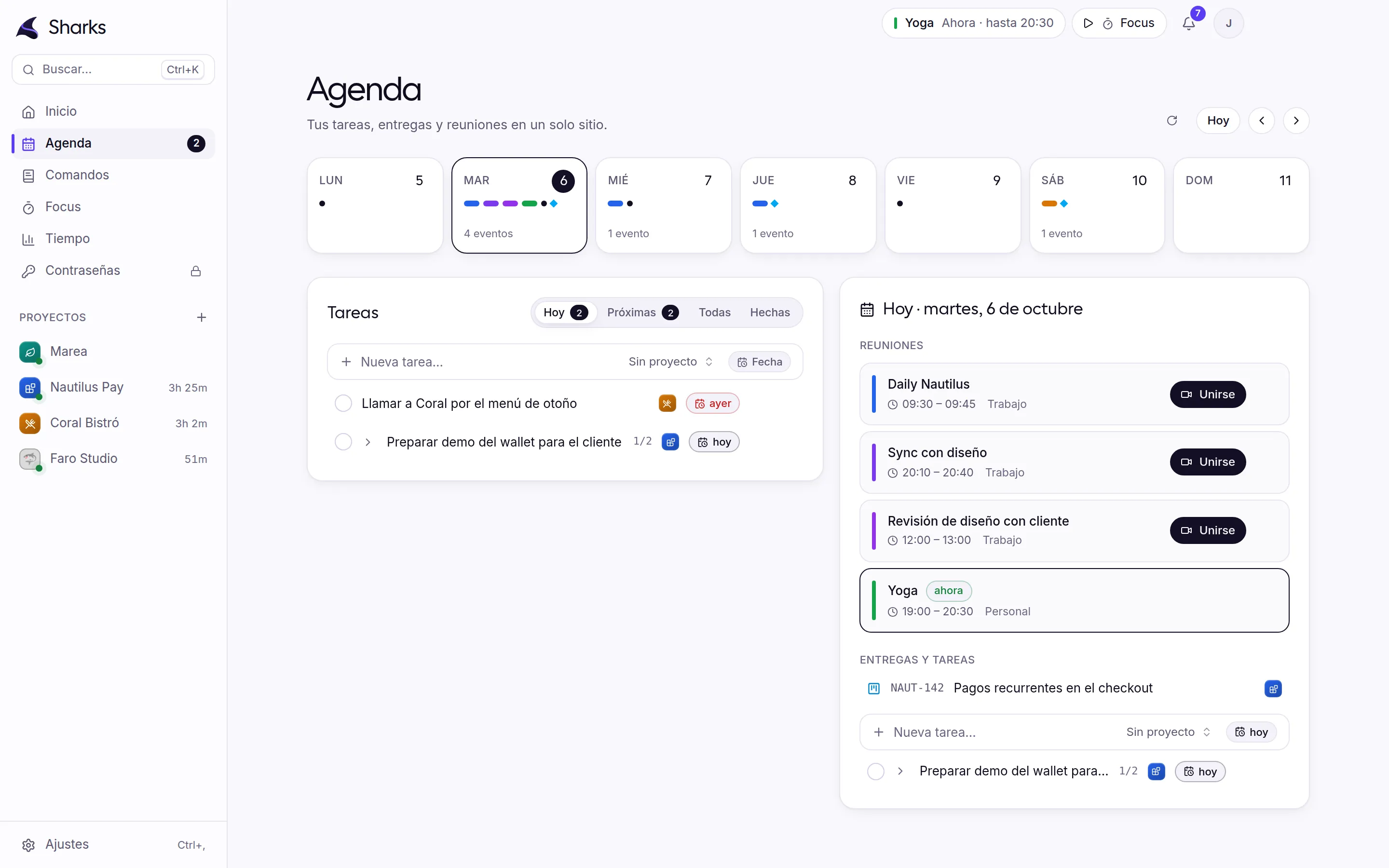
Your tasks with subtasks, Google Calendar and Jira due dates in the same week.
Pick a project, start, and the time counts for it. It keeps running even if you close the window.
Hours per day and project, daily average and share in percent. Editable if you forgot something.
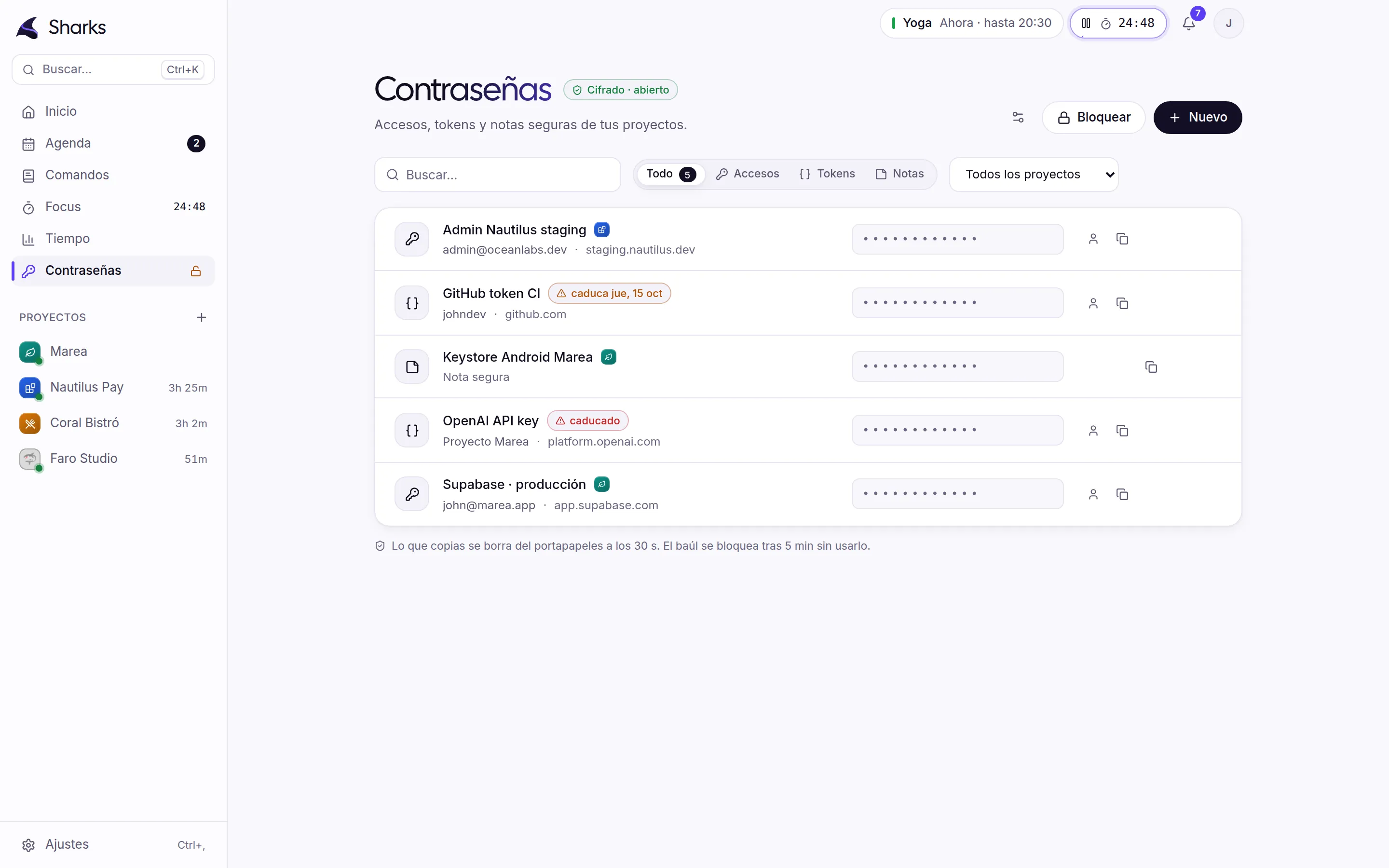
Passwords, tokens and notes encrypted with your master password. Copy them and they clear themselves.
Real screenshots of the app with sample data.
How it works
Three steps and you never hunt for the right terminal again.
Sharks looks in package.json, Docker Compose, Makefile and even the README for how it starts. You just confirm.
Press the bolt on the services that go together. Add delays if the API must start before the web.
Everything comes up in its tabs, time starts counting and the localhost link appears on its own.
Marea
App · Personal
Nautilus Pay
Web · Work
Coral Bistró
Web · Client
Press Start on a card.Integrations
GitHub, Jira, Google Calendar and Drive with read-only permissions. Sharks alerts you; you act in each tool.
Coming via MCP: Spotify, Docker, Uptime Kuma, Obsidian and n8n.
All included
Faro Studio · while you read this
5:04:07
Block for Marea
No interruptionsProjects, commands and actions from the keyboard.
PRs and Jira in a single number.
In the top bar, always in sight.
What you always forget, one click to copy.
Delete a project or a task and bring it back with Ctrl+Z.
Tokens and passwords encrypted locally.
Follows your system or your choice.
Close the window and everything keeps running.
Security
Questions
Nothing. Sharks is free. If it helps you, you can support it on GitHub Sponsors.
Sharks will come first to Windows 10 and 11, then to macOS. It is not released yet: join the newsletter and we will tell you the day it lands.
Less than the five apps it replaces running at once. Each terminal is a real process on your system, same as in your terminal.
No. It asks for read-only tokens and has no code that publishes, comments or moves anything.
Sharks keeps daily and weekly backups and never deletes a file it cannot read: it sets it aside and brings back the last good copy. You can also export a copy whenever you like.
The installer is not digitally signed yet, so Windows warns the first time. Click “More info” and “Run anyway”. You can check the file against the SHA-256 code on the downloads page.
Sharks stays in the system tray. Your processes and the time counter keep going until you quit the app.
Free, for Windows and macOS. Very soon you will be able to download it and start your first project in a minute.